LIONSFORGEDevelopment Studio
All apps
Circuly

Your day at a glance on your home screen dial.

Circuly reimagines your Android schedule by projecting calendar events as colorful temporal arcs around a living analog clock. Locate your time at a glance without ever opening a heavy calendar app.

GET IT ONGoogle Play

Free app with in-app purchases · Zero ads · No account required

Circuly home screen widget in light mode

The app in action

See how each feature simplifies your workflow and protects your interests.

Live watch face

Your daily schedule brought to life on your home screen

The Circuly widget renders your schedule into curved temporal arcs. Calendar hues dance around smooth watch hands on your wallpaper.

What you get

  • Intuitive 24-hour dual crown for morning and evening
  • Real-time guide beam tracking your active event
  • Curved title and live countdown under the hands
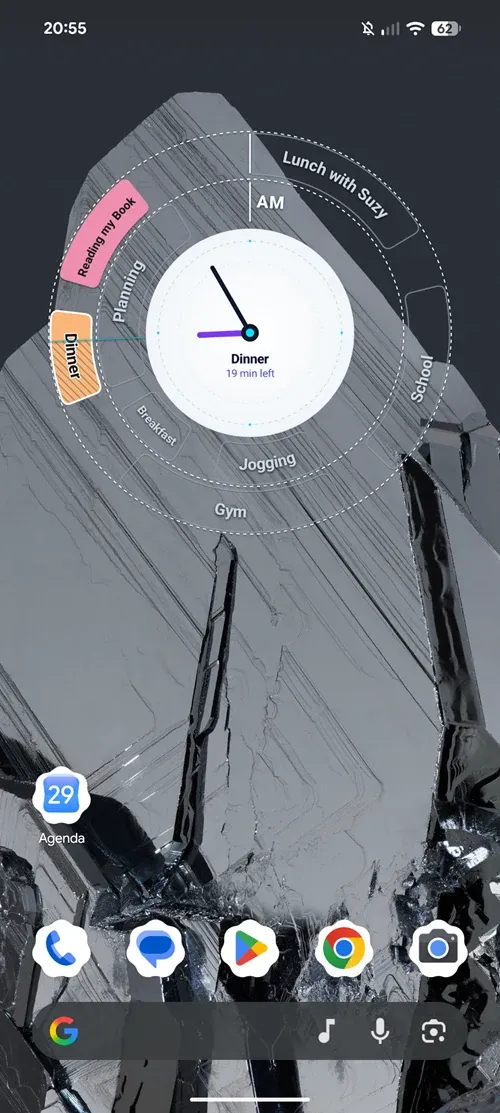
Circuly home screen widget in light mode with analog clock and concentric event arcs
Midnight Focus

Deep dark aesthetics with luminous high-contrast accents

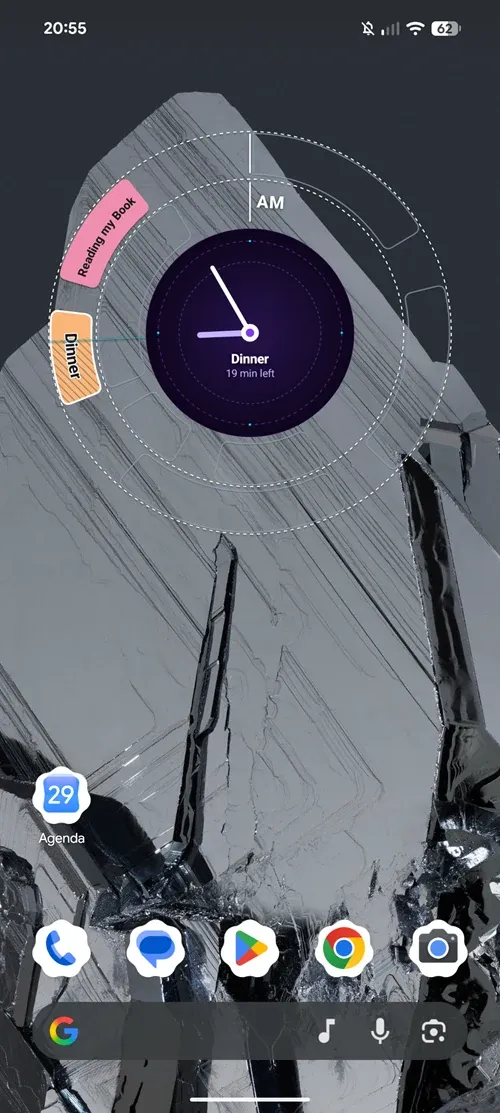
Designed for dark wallpapers and low-light environments. The watch face automatically mirrors your system theme or locks into night mode.

What you get

  • Dynamic hatching showing elapsed minutes at a glance
  • Luminous night contrast that is easy on the eyes
  • Past events gently faded out to clear mental clutter
Circuly widget in dark mode with midnight dial and glowing event arcs
Customization

Full creative control over your clock aesthetic and details

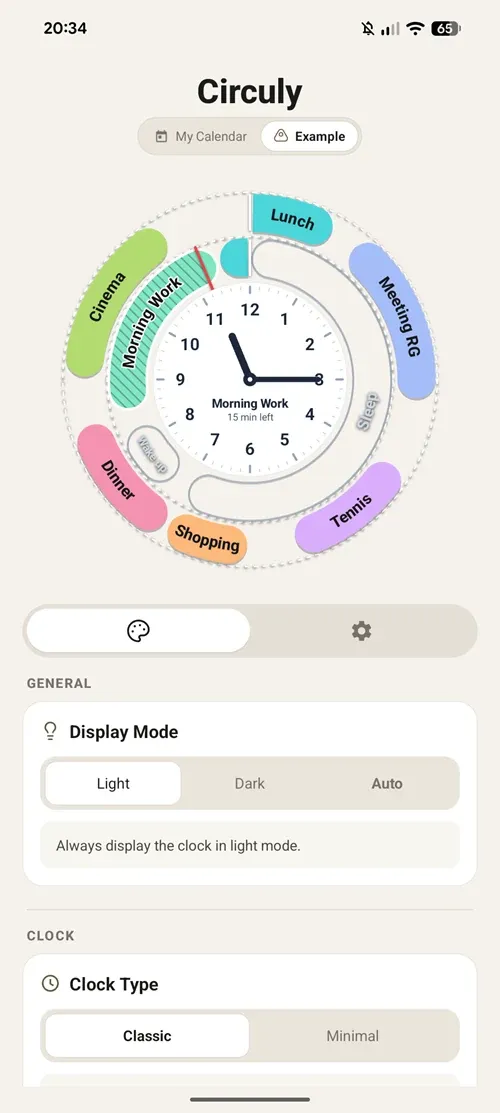
Toggle between light and dark display modes, switch between classic numerals and minimal cardinal ticks, and configure event crowns.

What you get

  • 11:15 Demo mode to test themes without waiting
  • Instant real-time update on all placed widgets
  • 100% private and local multi-calendar sync
Circuly customization panel with interactive watch face and Stitch controls

Who is it for?

Professionals with busy schedules

Keep up with meetings smoothly with constant visibility over remaining time before your next commitment.

Visual planners and thinkers

Spot free slots and intense focus blocks at a glance without scrolling through endless calendar lists.

Watch lovers and design perfectionists

Elevate your Android home screen with a tactile, precision-crafted analog dial.

Frequently asked questions

How do the concentric event crowns work?

The inner crown displays morning (AM) events, while the outer crown hosts afternoon and evening (PM) appointments. Your schedule naturally wraps around the dial.

Which calendar accounts are supported?

Circuly syncs directly with calendar accounts registered on your Android device: Google Calendar, Microsoft Outlook, Samsung Calendar, CalDAV, and corporate exchange calendars.

Are my appointments uploaded to remote servers?

No. Circuly operates 100% on your device. Calendar data is read in local memory strictly to render the widget and is never collected, stored externally, or transferred.

Does the widget drain battery life?

Circuly updates intelligently when calendar events change and on regular clock ticks. It is designed and optimized to preserve daily battery life.

Ready to try Circuly ?

GET IT ONGoogle Play

Free app with in-app purchases · Zero ads · No account required

Contact us

A suggestion, feedback, or inquiry? We would love to hear from you.

Install on your phone

Scan this QR code with your Android phone’s camera.

VeriCarGoogle Play Store

Point your phone’s camera at the QR code to open the Google Play Store directly.